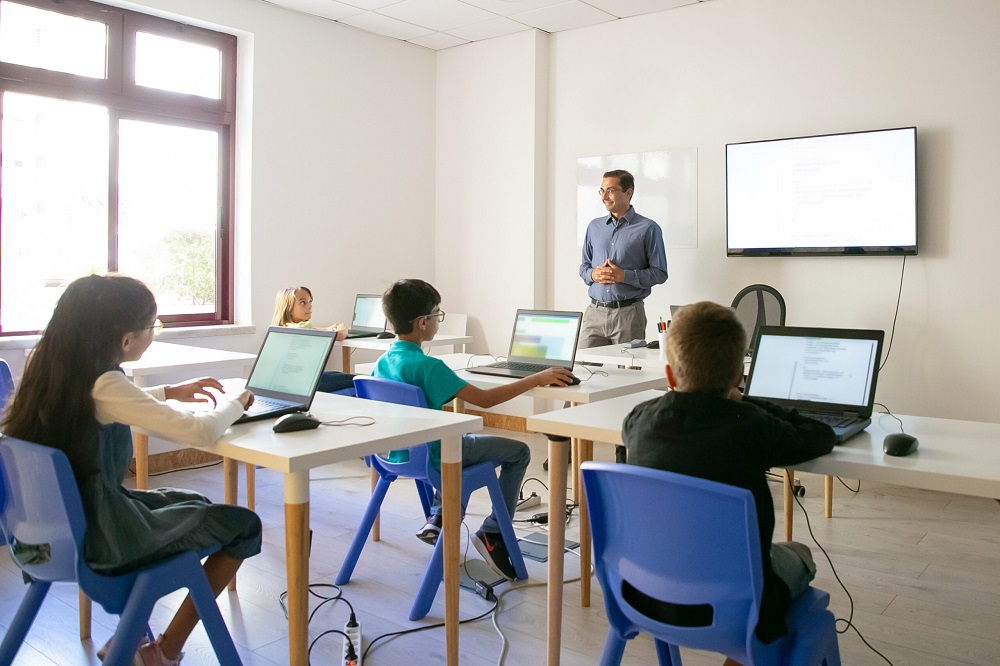
The integration of technology into school education has fundamentally altered how students learn, how teachers instruct, and how educational institutions operate. Over the past few decades, classrooms have evolved from environments reliant on chalkboards, printed textbooks, and passive lectures into dynamic digital ecosystems. Modern educational technology is no longer an optional supplement to traditional schooling; it is a foundational pillar that shapes curriculum delivery, student engagement, and institutional administration.
This transformation extends beyond simply replacing physical tools with digital equivalents. Technology enables personalized learning paths, facilitates global collaboration, provides immediate feedback, and expands access to educational resources regardless of geographic location. Understanding the full scope of this shift requires examining the specific ways digital tools enhance pedagogical practice, streamline administrative workflows, and prepare students for an increasingly tech-driven workforce.
Evolution of Digital Tools in Primary and Secondary Education
The journey of technology in K-12 education began with basic computer labs and isolated digital literacy classes. Today, digital tools are seamlessly woven into daily instruction across all subject areas.
One-to-One Device Initiatives
One-to-one device programs, where every student is provided with a laptop, tablet, or Chromebook, have redefined the structure of the modern classroom. These initiatives ensure that all students have equal access to learning materials, digital libraries, and educational applications both at school and at home.
-
Eliminates the physical limitations of static textbooks by providing access to continuously updated online media.
-
Enables synchronous and asynchronous collaboration on projects through cloud-based productivity suites.
-
Allows teachers to push tailored assignments directly to individual student dashboards based on demonstrated skill levels.
By providing a personal device, schools create a continuous learning environment that extends beyond the physical boundaries of the school day.
Interactive Learning Environments and Whiteboards
Interactive whiteboards and smart displays have replaced traditional slate blackboards and dry-erase surfaces. These displays allow educators to project multimedia content, manipulate 3D models, run interactive simulations, and save annotated lessons for student review.
-
Increases visual and auditory engagement for diverse learning styles.
-
Supports real-time problem solving where students interact directly with screen content.
-
Integrates directly with learning management systems to archive daily board work automatically.
These displays transform passive listening into an active, multisensory instructional experience.
Transforming Pedagogy Through Personalized and Adaptive Learning
One of the most significant impacts of educational technology is the shift from a traditional, one-size-fits-all instructional model to tailored, student-centered learning experiences.
Adaptive Learning Software
Adaptive learning platforms utilize algorithmic assessments to evaluate a student’s performance continuously. As a student works through mathematical problems or reading comprehension passages, the software dynamically adjusts the difficulty level, pacing, and scaffolding based on real-time responses.
-
Identifies foundational knowledge gaps automatically and provides targeted remediation modules.
-
Accelerates advanced students by introducing challenging concepts without waiting for the rest of the class.
-
Provides teachers with granular data on skill mastery across individual students and whole classes.
This continuous recalibration ensures that students remain in their optimal learning zone, reducing frustration and boredom.
Flipped Classroom Methodology
Technology makes the flipped classroom model possible by shifting direct instruction outside the physical classroom and moving homework activities inside it. Teachers record short video lectures or assign interactive modules for students to review at home.
-
Class time is dedicated to hands-on experiments, collaborative group work, and deeper discussions.
-
Students can pause, rewind, and rewatch instructional videos at their own pace.
-
Educators spend class time providing targeted, one-on-one assistance rather than delivering passive lectures.
This pedagogical approach maximizes the value of face-to-face classroom time between students and teachers.
Enhancing Collaboration, Communication, and Administrative Efficiency
Technology streamlines communication channels and automates routine administrative duties, allowing educators to focus more time and energy on direct instruction.
Cloud-Based Learning Management Systems
Learning Management Systems (LMS) serve as the digital backbone for modern schools. These platforms consolidate assignment distribution, gradebooks, resource sharing, and communication into a centralized portal.
-
Streamlines assignment submission, peer review processes, and automated grading for objective assessments.
-
Keeps parents informed through real-time access to attendance records, academic progress, and teacher announcements.
-
Facilitates seamless remote or hybrid learning when physical school attendance is disrupted.
Centralizing academic workflows reduces administrative overhead and minimizes lost assignments.
Data-Driven Academic Interventions
Modern educational software continuously gathers data on attendance, assignment completion rates, test scores, and classroom participation. School administrators and guidance counselors use data analytics platforms to spot trends and intervene early.
-
Identifies at-risk students before academic performance drops significantly.
-
Tracks the effectiveness of specific curriculum interventions across grade levels.
-
Informs school-wide professional development strategies based on objective student outcome data.
Using data objectively allows schools to offer targeted support systems that address specific academic and behavioral needs.
Preparing Students for a Digital Workforce and Future Career Paths
Beyond academic subject mastery, school technology equips students with essential digital literacy skills required in virtually every modern career path.
STEM and Computer Science Education
The integration of coding platforms, robotics kits, and digital design software into standard curricula introduces students to technical concepts at an early age.
-
Fosters computational thinking, logic, and structured problem-solving strategies.
-
Teaches engineering principles through hands-on fabrication tools like 3D printers and laser cutters.
-
Prepares students for high-demand technical careers in computer science, engineering, and data analysis.
Early exposure to technical tools demystifies complex technology and builds confidence in quantitative disciplines.
Media Literacy and Digital Citizenship
As students consume vast amounts of information online, schools play a critical role in teaching digital citizenship and media literacy. Modern curricula teach students how to evaluate source credibility, protect personal privacy, avoid cyberbullying, and navigate online communities responsibly.
-
Develops critical thinking skills needed to distinguish fact from opinion and misinformation online.
-
Teaches ethical practices regarding digital copyright, intellectual property, and academic integrity.
-
Instills healthy screen-time habits and online safety protocols.
Educating responsible digital citizens ensures students can navigate digital environments safely and ethically.
Overcoming Challenges in Educational Technology Implementation
While the benefits of technology in education are substantial, successful integration requires overcoming significant logistical, financial, and pedagogical challenges.
Bridging the Digital Divide
Unequal access to high-speed internet and modern computing hardware creates an equity gap known as the digital divide. Students from lower-income households or rural areas may struggle to complete online homework assignments or participate in remote learning.
-
Schools address this by providing cellular hotspots and offline-accessible content devices.
-
Public funding and community partnerships help subsidize home connectivity initiatives.
-
Equity-focused policies ensure technology investments benefit all student demographics equally.
Bridging these hardware and infrastructure gaps is necessary to prevent technology from exacerbating existing educational inequalities.
Professional Development and Teacher Support
Technology is only as effective as the educator using it. Simply placing devices in classrooms without adequate teacher training leads to frustration and underutilized equipment.
-
Continuous professional development must focus on digital pedagogy, not just hardware operation.
-
Peer coaching and instructional technology specialists help teachers integrate tools into existing curricula.
-
Adequate technical support minimizes classroom disruptions caused by software or hardware glitches.
Ongoing support ensures teachers feel confident and capable when adopting new instructional technologies.
Frequently Asked Questions
What hardware infrastructure is necessary for a school to support a one-to-one device initiative?
Implementing a successful one-to-one device initiative requires high-density Wi-Fi architecture with enterprise-grade access points installed across all classrooms and common areas. Schools need robust bandwidth connections capable of handling simultaneous streaming, secure content filtering firewalls, and centralized Device Management (MDM) software to handle software updates, security settings, and app distribution remotely.
How do schools prevent digital distractions when students use devices during class?
Schools employ a combination of technical controls and instructional strategies to manage classroom focus. Technical solutions include software that allows teachers to view student screens in real time, restrict web browsing to approved domain whitelists during lesson time, and block gaming or social media sites at the network level. Instructionally, teachers structure lessons to alternate between active screen work, physical discussions, and offline writing tasks to maintain engagement.
How does educational technology support students with special needs and learning disabilities?
Assistive technology offers tailored accommodations that support inclusive learning environments. Screen readers, text-to-speech engines, and closed-captioning tools assist visually or hearing-impaired students. Dyslexic-friendly fonts, speech-to-text dictation software, and adjustable text display settings assist students with language processing challenges. Additionally, adaptive software allows special education students to work on individualized goals alongside their general education peers.
What measures do schools take to protect student data privacy when using third-party educational applications?
Schools enforce strict compliance policies regarding student data protection laws such as the Family Educational Rights and Privacy Act (FERPA) and the Children’s Online Privacy Protection Act (COPPA). Before adopting software, school technology departments vet vendors to ensure they do not sell student data, track users for targeted advertising, or share data with unauthorized third parties. Schools also mandate enterprise accounts that use data encryption during transmission and storage.
How do educators ensure that artificial intelligence tools do not undermine student critical thinking and writing skills?
Educators adapt their instructional and assessment methods to integrate artificial intelligence constructively while preserving academic integrity. Teachers use AI tools to generate outline ideas, analyze text structures, or critique code, while shifting assessments toward in-class writing, oral presentations, defense of work, and project-based assignments that demonstrate genuine comprehension. Emphasizing process over final product ensures students master foundational thinking skills.
What strategies help mitigate screen fatigue among primary and secondary school students?
To prevent screen fatigue and physical strain, schools implement balanced learning schedules that limit continuous screen time. Teachers use the 20-20-20 rule, encouraging students to look at something twenty feet away for twenty seconds every twenty minutes. Classrooms incorporate frequent movement breaks, hands-on physical manipulatives, offline reading assignments, and collaborative small-group discussions to maintain a healthy mix of digital and traditional learning activities.
How do schools evaluate the return on investment for major educational technology purchases?
Evaluating educational technology investments involves tracking both quantitative and qualitative outcomes. Schools analyze student academic growth data, standardized testing performance, baseline attendance rates, and assignment completion percentages over multi-year periods. Additionally, administrative teams collect survey data from teachers, students, and parents to measure user adoption rates, classroom satisfaction, and teacher retention to determine overall program effectiveness.